Website Uptime Monitoring Script in Bash
A website uptime monitoring script checks whether a URL is responding correctly, records HTTP status codes and helps you spot outages from a Linux server.
This guide shows how to build a simple Bash website uptime monitor using curl. You will check HTTP status codes, measure response time, handle timeouts, check multiple URLs from a file and log the results.
Why use curl for website uptime checks?
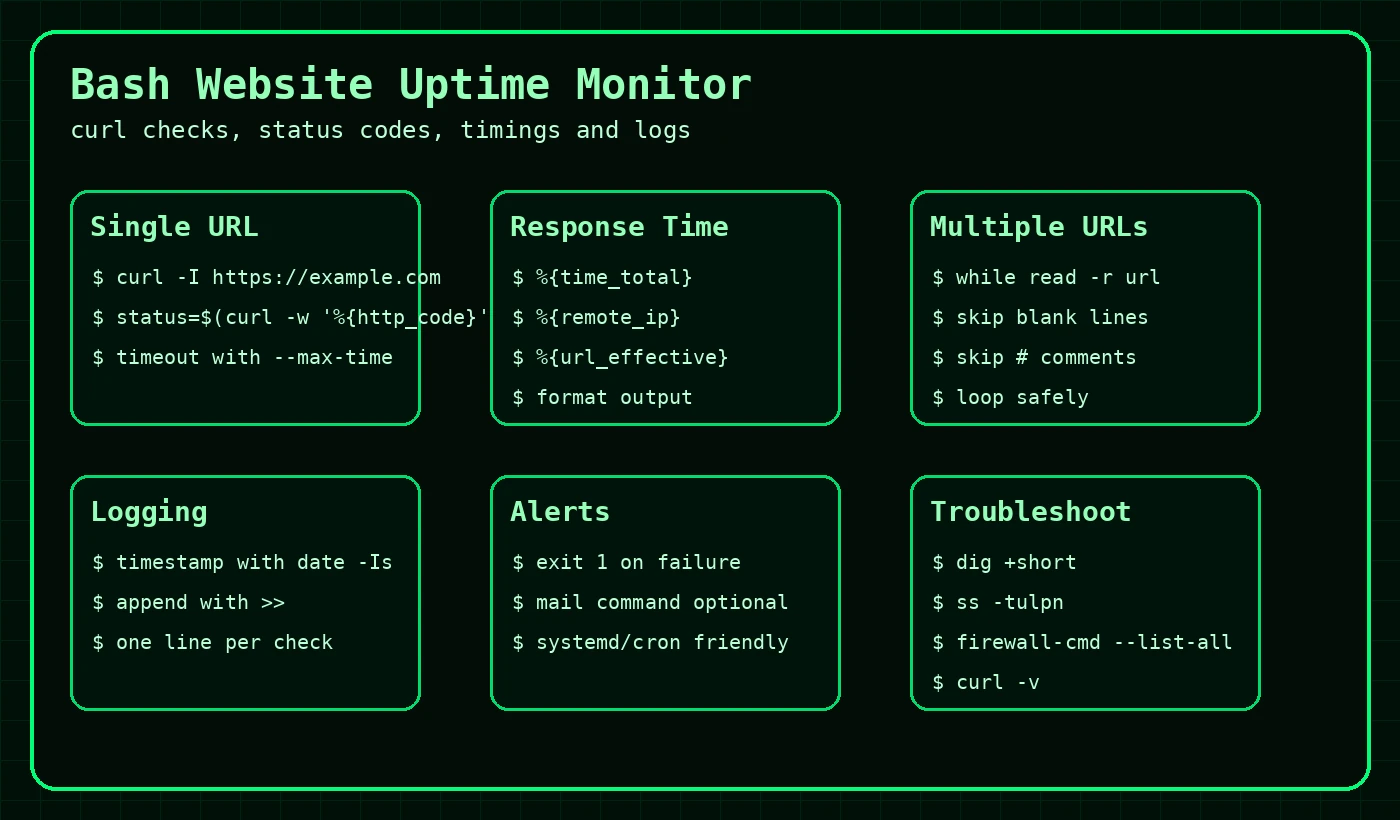
ping can tell you whether a host responds to ICMP, but it does not tell you whether a website is returning 200 OK, redirecting, timing out or throwing a 500 error. curl is better for website uptime checks because it talks HTTP and HTTPS.
Status code
Check whether the page returns 200, 301, 404, 500 or another code.
Response time
Measure how long the request takes using %{time_total}.
Automation
Run the check from cron, systemd or a monitoring wrapper.
Check one website URL
Create a script called check-url-uptime.sh.
#!/usr/bin/env bash

URL="${1:-}"
TIMEOUT="${2:-10}"

if [ -z "$URL" ]; then
  echo "Usage: $0 url [timeout-seconds]"
  exit 1
fi

result="$(curl -L -sS -o /dev/null \
  --max-time "$TIMEOUT" \
  -w '%{http_code} %{time_total} %{remote_ip}' \
  "$URL" 2>/dev/null)" || {
    echo "[CRITICAL] $URL failed to respond within ${TIMEOUT}s"
    exit 2
  }

status="$(awk '{print $1}' <<< "$result")"
time_total="$(awk '{print $2}' <<< "$result")"
remote_ip="$(awk '{print $3}' <<< "$result")"

if [[ "$status" =~ ^2|3 ]]; then
  echo "[OK] $URL status=$status time=${time_total}s ip=$remote_ip"
  exit 0
else
  echo "[WARN] $URL status=$status time=${time_total}s ip=$remote_ip"
  exit 1
fi
Run it:
chmod +x check-url-uptime.sh
./check-url-uptime.sh https://example.com[OK] https://example.com status=200 time=0.184s ip=93.184.216.34[WARN] https://example.com/missing-page status=404 time=0.152s ip=93.184.216.34How the curl command works
| Option | Meaning |
|---|---|
-L | Follow redirects. |
-sS | Silent mode, but still show errors. |
-o /dev/null | Discard the response body. |
--max-time 10 | Fail if the request takes longer than 10 seconds. |
-w '%{http_code} %{time_total}' | Print custom output after the request completes. |
curl -L -sS -o /dev/null --max-time 10 -w '%{http_code} %{time_total}\n' https://example.com200 0.184321Check multiple websites from a file
Create a file named urls.txt.
https://example.com
https://commandlinequiz.com
# Add one URL per line
Create check-websites-list.sh:
#!/usr/bin/env bash

URL_FILE="${1:-urls.txt}"
TIMEOUT="${2:-10}"
LOG_FILE="${3:-./uptime-monitor.log}"

if [ ! -f "$URL_FILE" ]; then
  echo "URL file not found: $URL_FILE"
  exit 1
fi

check_url() {
  local url="$1"
  local result status time_total remote_ip timestamp

  timestamp="$(date -Is)"

  result="$(curl -L -sS -o /dev/null \
    --max-time "$TIMEOUT" \
    -w '%{http_code} %{time_total} %{remote_ip}' \
    "$url" 2>/dev/null)" || {
      echo "[$timestamp] [CRITICAL] $url failed timeout=${TIMEOUT}s" | tee -a "$LOG_FILE"
      return 2
    }

  status="$(awk '{print $1}' <<< "$result")"
  time_total="$(awk '{print $2}' <<< "$result")"
  remote_ip="$(awk '{print $3}' <<< "$result")"

  if [[ "$status" =~ ^2|3 ]]; then
    echo "[$timestamp] [OK] $url status=$status time=${time_total}s ip=$remote_ip" | tee -a "$LOG_FILE"
    return 0
  else
    echo "[$timestamp] [WARN] $url status=$status time=${time_total}s ip=$remote_ip" | tee -a "$LOG_FILE"
    return 1
  fi
}

overall=0

while IFS= read -r url; do
  [[ -z "$url" || "$url" =~ ^# ]] && continue
  check_url "$url" || overall=1
done < "$URL_FILE"

exit "$overall"[2026-05-03T15:04:11+01:00] [OK] https://example.com status=200 time=0.184s ip=93.184.216.34
[2026-05-03T15:04:12+01:00] [OK] https://commandlinequiz.com status=200 time=0.221s ip=104.21.10.123Log uptime results
The multiple URL script writes to uptime-monitor.log by default.
tail -f uptime-monitor.log[2026-05-03T15:04:11+01:00] [OK] https://example.com status=200 time=0.184s ip=93.184.216.34
[2026-05-03T15:04:12+01:00] [OK] https://commandlinequiz.com status=200 time=0.221s ip=104.21.10.123
[2026-05-03T15:09:11+01:00] [WARN] https://example.org status=500 time=0.293s ip=93.184.216.34You can pass a custom log path as the third argument:
./check-websites-list.sh urls.txt 10 /var/log/uptime-monitor.logRun the uptime monitor from cron
To run every 5 minutes, add a cron entry:
crontab -e*/5 * * * * /home/exampleuser/check-websites-list.sh /home/exampleuser/urls.txt 10 /home/exampleuser/uptime-monitor.log >/dev/null 2>&1Run the monitor with systemd
For a cleaner server setup, create a service and timer. This integrates with journalctl.
# /etc/systemd/system/website-uptime.service
[Unit]
Description=Check website uptime

[Service]
Type=oneshot
ExecStart=/usr/local/bin/check-websites-list.sh /etc/website-urls.txt 10 /var/log/website-uptime.log
# /etc/systemd/system/website-uptime.timer
[Unit]
Description=Run website uptime check every 5 minutes
[Timer]
OnBootSec=2min
OnUnitActiveSec=5min
Unit=website-uptime.service
[Install]
WantedBy=timers.targetsudo systemctl daemon-reload
sudo systemctl enable --now website-uptime.timer
systemctl list-timers website-uptime.timerFor more detail, see the systemd guide.
Download the example scripts
What to check when a website fails
| Symptom | Useful command | What to check next |
|---|---|---|
| DNS failure | dig +short example.com | Check DNS records and nameservers. |
| Connection refused | ss -tulpn | Check whether the web service is listening. |
| Timeout | curl -v --max-time 10 URL | Check firewall, routing or upstream issues. |
| HTTP 500 | tail -f /var/log/httpd/error_log | Check application and web server logs. |
| HTTP 403 or 404 | curl -I URL | Check vhost, permissions, routing and application config. |
Useful related guides: Basic Networking Commands, firewalld Guide, Search Logs for Errors.
Common uptime monitor mistakes
- Using
pingas proof that a website works. A server can ping but still return HTTP 500. - Not using a timeout, causing scripts to hang.
- Ignoring redirects when the expected URL redirects to HTTPS.
- Only checking one page when the homepage is cached but the application is broken.
- Running from cron with relative paths that do not resolve correctly.
- Not logging failures, which turns monitoring into “I swear it was broken earlier”.
Keep learning Bash and troubleshooting
Add logging when running the uptime script from cron
If cron runs silently, troubleshooting becomes annoying. Log the timestamp, URL and result so you can see what happened later.
# Run every 5 minutes and append output to a log
*/5 * * * * /home/user/bin/check-website.sh https://example.com >> /home/user/logs/uptime.log 2>&12026-05-05 09:00:01 OK https://example.com HTTP 200
2026-05-05 09:05:01 OK https://example.com HTTP 200
2026-05-05 09:10:02 ERROR https://example.com timeoutFrequently Asked Questions
Can curl be used for uptime monitoring?
Yes. curl can check whether a URL responds, return HTTP status codes and fail on connection or timeout issues.
What curl options are useful for uptime scripts?
Useful options include -f for HTTP failures, -s for silent mode, -S for errors, -L for redirects and --max-time for timeouts.
Should uptime scripts run from cron?
Cron is fine for simple checks, but log the output and consider alerting if the check is important.
What HTTP status code means a website is OK?
Usually 200 means OK, but some valid sites may return 301 or 302 redirects depending on the URL.