Build a Bash 404 Checker to Find Broken Pages and Internal Backlinks
This guide shows how to build a practical Bash 404 checker using curl, grep and sed. The script scans your sitemap, checks page status codes, crawls internal links, reports broken backlinks and saves everything to a CSV file.
Why check for 404 pages and broken internal backlinks?
A broken page is bad enough, but a broken internal backlink is worse because it means your own site is actively sending visitors and search engines to a dead URL. That hurts user experience, wastes crawl budget and makes your site look less maintained than it really is.
This Bash script is designed for real site maintenance. It does not just check a single URL. It reads URLs from your sitemap, checks each page, extracts internal links from those pages, then checks those links too. The result is a simple terminal summary plus a CSV report you can keep, filter or share.
Find broken pages
Detect URLs from your sitemap returning 404, 500 or connection failures.
Find broken backlinks
Catch internal links pointing to old slugs, missing articles or renamed tools.
Save a report
Export broken pages and backlinks to site-404-report.csv.
What this Bash 404 checker does
| Check | What it means | Why it helps |
|---|---|---|
| Sitemap scan | Reads URLs from /sitemap.xml. | Starts from the pages search engines are likely to crawl. |
| Status check | Uses curl to check HTTP response codes. | Spots 404, 500 and timeout issues quickly. |
| Internal link crawl | Extracts <a href="..."> links from each page. | Finds backlinks inside your own content that point to broken URLs. |
| CSV output | Writes broken results to site-404-report.csv. | Makes it easier to review, sort and fix issues. |
| Summary file | Writes counts to site-404-summary.txt. | Gives you a quick before and after score when fixing links. |
This is intentionally a Bash script, not a full crawler. It is lightweight, easy to understand and good enough for regular checks on small to medium content sites.
Install the script
Create a file called site-404-checker.sh.
nano site-404-checker.shPaste the full script from the next section, then make it executable.
chmod +x site-404-checker.shYou need bash, curl, grep, sed, wc and sort. These are usually already available on most Linux servers.
The complete Bash 404 and broken backlink checker
This version outputs to a CSV file and also prints the number of broken pages, unique 404 URLs and broken backlinks in the terminal.
#!/usr/bin/env bash
# Site 404 and Broken Backlink Checker
# Usage:
# ./site-404-checker.sh yourdomain.com
# ./site-404-checker.sh https://yourdomain.com
# ./site-404-checker.sh urls.txt
# ./site-404-checker.sh yourdomain.com --pages-only
# ./site-404-checker.sh yourdomain.com --include-assets
set -u
INPUT="${1:-}"
MODE="${2:-}"
REPORT="site-404-report.csv"
SUMMARY="site-404-summary.txt"
CRAWL_INTERNAL_LINKS=1
INCLUDE_ASSETS=0
MAX_PAGES=1000
if [ -z "$INPUT" ]; then
echo "Usage: $0 <domain|url|urls.txt> [--pages-only|--include-assets]"
exit 1
fi
if [ "$MODE" = "--pages-only" ]; then
CRAWL_INTERNAL_LINKS=0
fi
if [ "$MODE" = "--include-assets" ]; then
INCLUDE_ASSETS=1
fi
TMP_DIR=$(mktemp -d)
URLS_FILE="$TMP_DIR/urls.txt"
trap 'rm -rf "$TMP_DIR"' EXIT
csv_escape() {
local value="$1"
value=${value//\"/\"\"}
printf '"%s"' "$value"
}
write_csv_row() {
csv_escape "$1"; printf ','
csv_escape "$2"; printf ','
csv_escape "$3"; printf ','
csv_escape "$4"; printf ','
csv_escape "$5"; printf '\n'
}
normalise_base() {
local value="$1"
if [[ "$value" != http://* && "$value" != https://* ]]; then
value="https://$value"
fi
value="${value%/}"
echo "$value" | sed -E 's#^(https?://[^/]+).*$#\1#'
}
get_domain() {
echo "$1" | sed -E 's#^https?://([^/]+).*$#\1#'
}
BASE="$(normalise_base "$INPUT")"
DOMAIN="$(get_domain "$BASE")"
USER_AGENT="Site404Checker/1.0 (+https://$DOMAIN)"
get_status() {
local url="$1"
curl -Ls -o /dev/null -w "%{http_code}" \
--connect-timeout 10 \
--max-time 20 \
-A "$USER_AGENT" \
"$url"
}
is_bad_status() {
local status="$1"
if [ "$status" = "000" ]; then
return 0
fi
if [[ "$status" =~ ^[0-9]+$ ]] && [ "$status" -ge 400 ]; then
return 0
fi
return 1
}
fetch_sitemap_urls() {
local sitemap_url="$1"
local depth="$2"
if [ "$depth" -gt 3 ]; then
return
fi
local sitemap_content
sitemap_content=$(curl -Ls --connect-timeout 10 --max-time 20 -A "$USER_AGENT" "$sitemap_url")
echo "$sitemap_content" |
grep -oiE '<loc>[^<]+</loc>' |
sed -E 's#</?loc>##Ig' |
while read -r loc; do
[ -z "$loc" ] && continue
if [[ "$loc" == *.xml || "$loc" == *sitemap* ]]; then
fetch_sitemap_urls "$loc" $((depth + 1))
else
echo "$loc"
fi
done
}
should_skip_url() {
local url="$1"
# Cloudflare email protection URLs are not real content pages.
if echo "$url" | grep -qiE '/cdn-cgi/'; then
return 0
fi
if [ "$INCLUDE_ASSETS" -eq 1 ]; then
return 1
fi
if echo "$url" | grep -qiE '\.(jpg|jpeg|png|gif|webp|svg|ico|css|js|pdf|zip|mp4|mp3|woff|woff2|ttf)(\?|$)'; then
return 0
fi
return 1
}
normalise_link() {
local source_url="$1"
local raw_link="$2"
local url link_domain page_base
raw_link="${raw_link%%#*}"
raw_link="${raw_link//$'\r'/}"
raw_link="${raw_link//$'\n'/}"
raw_link="${raw_link//&/&}"
[ -z "$raw_link" ] && return
if echo "$raw_link" | grep -qiE '^(mailto:|tel:|javascript:|data:)'; then
return
fi
if [[ "$raw_link" == //* ]]; then
url="https:$raw_link"
elif [[ "$raw_link" == http://* || "$raw_link" == https://* ]]; then
url="$raw_link"
elif [[ "$raw_link" == /* ]]; then
url="$BASE$raw_link"
else
page_base="${source_url%/*}/"
url="$page_base$raw_link"
fi
link_domain="$(get_domain "$url")"
if [ "$link_domain" != "$DOMAIN" ]; then
return
fi
if should_skip_url "$url"; then
return
fi
echo "$url"
}
extract_internal_links() {
local source_url="$1"
curl -Ls --connect-timeout 10 --max-time 20 -A "$USER_AGENT" "$source_url" |
tr '\n' ' ' |
grep -oiE "<a[^>]+href=[\"'][^\"' >]+" |
sed -E "s/^.*href=[\"']//I" |
while read -r link; do
normalise_link "$source_url" "$link"
done |
sort -u
}
write_csv_row "Type" "Source URL" "Checked URL" "HTTP Status" "Issue" > "$REPORT"
if [ -f "$INPUT" ]; then
grep -E '^https?://' "$INPUT" | sort -u > "$URLS_FILE"
else
fetch_sitemap_urls "$BASE/sitemap.xml" 0 | sort -u > "$URLS_FILE"
if [ ! -s "$URLS_FILE" ]; then
echo "$BASE/" > "$URLS_FILE"
fi
fi
TOTAL_URLS=$(wc -l < "$URLS_FILE" | tr -d ' ')
PAGE_COUNT=0
BROKEN_PAGES=0
BROKEN_LINKS=0
NOT_FOUND_404=0
BROKEN_BACKLINKS=0
CONNECTION_ERRORS=0
declare -A STATUS_CACHE
declare -A UNIQUE_404
check_status_cached() {
local url="$1"
local status
if [[ -n "${STATUS_CACHE[$url]+x}" ]]; then
echo "${STATUS_CACHE[$url]}"
return
fi
status="$(get_status "$url")"
STATUS_CACHE[$url]="$status"
echo "$status"
}
count_404_once() {
local url="$1"
local status="$2"
if [ "$status" = "404" ] && [[ -z "${UNIQUE_404[$url]+x}" ]]; then
UNIQUE_404[$url]=1
NOT_FOUND_404=$((NOT_FOUND_404 + 1))
fi
}
echo "Checking $TOTAL_URLS page URL(s) for $DOMAIN"
echo
while read -r page_url; do
[ -z "$page_url" ] && continue
PAGE_COUNT=$((PAGE_COUNT + 1))
if [ "$PAGE_COUNT" -gt "$MAX_PAGES" ]; then
echo "Reached page limit of $MAX_PAGES. Increase MAX_PAGES in the script if needed."
break
fi
page_status="$(check_status_cached "$page_url")"
count_404_once "$page_url" "$page_status"
echo "[$page_status] $page_url"
if [ "$page_status" = "000" ]; then
CONNECTION_ERRORS=$((CONNECTION_ERRORS + 1))
fi
if is_bad_status "$page_status"; then
BROKEN_PAGES=$((BROKEN_PAGES + 1))
write_csv_row "Page" "" "$page_url" "$page_status" "Broken page" >> "$REPORT"
continue
fi
if [ "$CRAWL_INTERNAL_LINKS" -eq 1 ]; then
while read -r found_link; do
[ -z "$found_link" ] && continue
link_status="$(check_status_cached "$found_link")"
count_404_once "$found_link" "$link_status"
if is_bad_status "$link_status"; then
BROKEN_LINKS=$((BROKEN_LINKS + 1))
BROKEN_BACKLINKS=$((BROKEN_BACKLINKS + 1))
if [ "$link_status" = "000" ]; then
CONNECTION_ERRORS=$((CONNECTION_ERRORS + 1))
fi
write_csv_row "Broken backlink" "$page_url" "$found_link" "$link_status" "Internal link points to broken URL" >> "$REPORT"
echo " Broken backlink [$link_status]: $found_link"
fi
done < <(extract_internal_links "$page_url")
fi
done < "$URLS_FILE"
{
echo
echo "404 check complete."
echo "Domain checked: $DOMAIN"
echo "Pages checked: $PAGE_COUNT"
echo "Broken pages: $BROKEN_PAGES"
echo "404 URLs found: $NOT_FOUND_404"
echo "Broken backlinks: $BROKEN_BACKLINKS"
echo "Connection errors: $CONNECTION_ERRORS"
echo "CSV report: $REPORT"
echo "Summary report: $SUMMARY"
} | tee "$SUMMARY"
In the examples below, yourdomain.com is a placeholder. Replace it with your own website domain, for example example.com. The sample results are illustrative so you can see what the script output looks like before running it on your own site.
How to run the 404 checker
Run it against a domain. You can include or omit https://.
./site-404-checker.sh yourdomain.comTo check only the URLs from the sitemap and skip crawling internal links, use --pages-only.
./site-404-checker.sh yourdomain.com --pages-onlyTo include assets such as images, CSS and JavaScript, use --include-assets. For most SEO checks, page links are the priority, so assets are skipped by default.
./site-404-checker.sh yourdomain.com --include-assetsYou can also provide a manual URL list.
cat > urls.txt <<EOF
https://yourdomain.com/
https://yourdomain.com/blog
https://yourdomain.com/bash-scripting-hub
EOF

./site-404-checker.sh urls.txt
Example terminal output
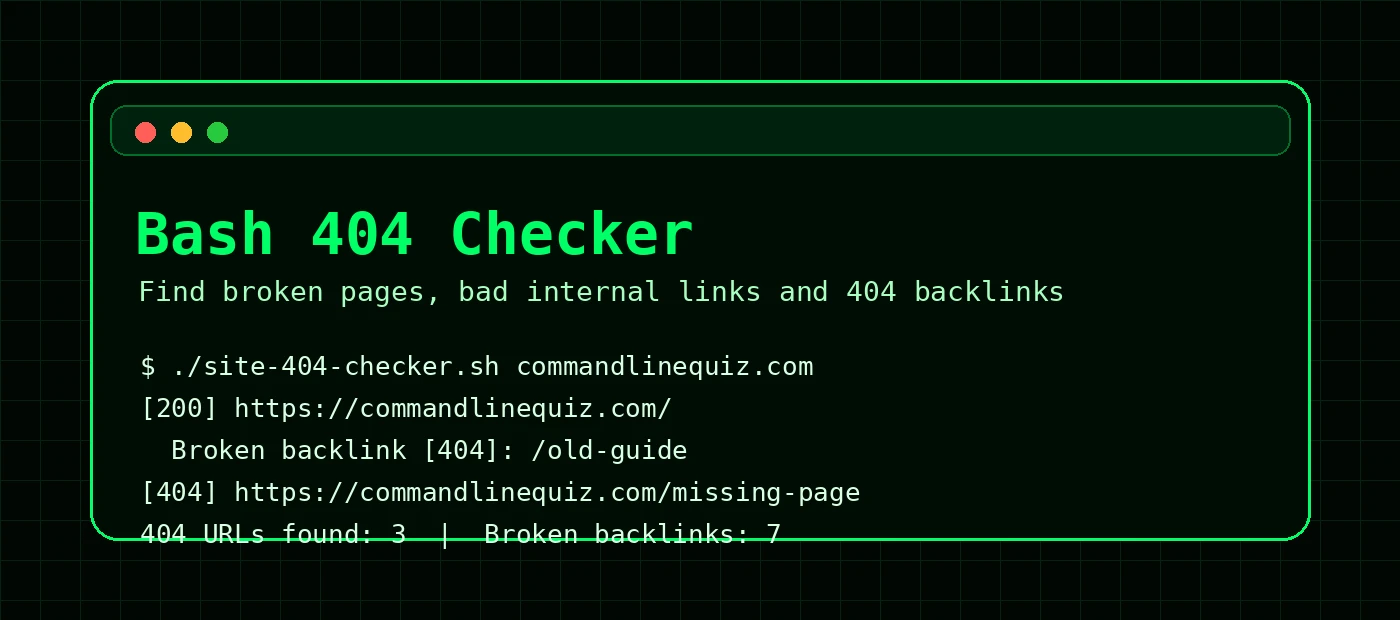
The script prints each sitemap page as it checks it. If a page contains a bad internal link, it prints that as a broken backlink underneath the source page.
Checking 77 page URL(s) for yourdomain.com

[200] https://yourdomain.com/
  Broken backlink [404]: https://yourdomain.com/old-firewalld-guide
  Broken backlink [404]: https://yourdomain.com/old-systemd-guide
[200] https://yourdomain.com/linux-troubleshooting-guide
[404] https://yourdomain.com/old-missing-page
[200] https://yourdomain.com/apache-log-analysis-cheat-sheet

404 check complete.
Domain checked: yourdomain.com
Pages checked: 77
Broken pages: 1
404 URLs found: 3
Broken backlinks: 2
Connection errors: 0
CSV report: site-404-report.csv
Summary report: site-404-summary.txt
In this example, the homepage is live, but it links to two old slugs that return 404. The script also found one sitemap URL that is itself returning 404.
CSV report output
The full details are saved to site-404-report.csv. This makes it easier to see the source page, the broken target and the HTTP status.
"Type","Source URL","Checked URL","HTTP Status","Issue"
"Broken backlink","https://yourdomain.com/","https://yourdomain.com/old-firewalld-guide","404","Internal link points to broken URL"
"Broken backlink","https://yourdomain.com/","https://yourdomain.com/old-systemd-guide","404","Internal link points to broken URL"
"Page","","https://yourdomain.com/old-missing-page","404","Broken page"
You can read the report directly in the terminal.
cat site-404-report.csvOr format it into columns for a quick look.
column -s, -t site-404-report.csvHow the script works
1. Normalises the domain
If you run ./site-404-checker.sh example.com, the script turns that into https://example.com. This avoids the classic mistake where a bare domain is treated as a local filename.
2. Reads the sitemap
The fetch_sitemap_urls function reads /sitemap.xml and extracts every <loc> entry. It also supports sitemap indexes by following nested XML sitemap files.
3. Checks HTTP status codes
The get_status function uses curl with sensible timeouts and returns only the HTTP status code. A status of 000 usually means a connection or timeout problem rather than a normal HTTP response.
4. Extracts internal links
For every working page, the script extracts internal links from anchor tags. It ignores mailto:, tel:, javascript:, external domains and common asset files.
5. Caches checked URLs
If the same broken link appears on multiple pages, the script does not need to request it again every time. The STATUS_CACHE array stores results during the run.
6. Counts unique 404 URLs
The UNIQUE_404 array prevents the same missing URL being counted repeatedly. You still see every broken backlink in the CSV, but the summary tells you how many unique 404 URLs exist.
How to fix the broken backlinks it finds
Once you have the report, there are usually three types of fix.
Restore the missing page
If the content should exist, recreate the article, quiz, cheat sheet or command builder.
Update the internal link
If the page moved, update the source page so it links directly to the new slug.
Add a 301 redirect
If the old URL has value, redirect it to the closest relevant live page.
For example, if your report finds an old slug called /systemd-guide, but the real guide is now /systemd-guide-services-timers-logs, you can add a redirect in .htaccess.
RewriteRule ^systemd-guide/?$ /systemd-guide-services-timers-logs [R=301,L]Then update the internal link in your HTML or PHP files so future crawls do not keep finding the old URL.
grep -RIn "systemd-guide" .A redirect is a safety net. Updating the internal link is the real fix. Otherwise your site is still telling visitors to walk through the redirect revolving door.
Run the checker regularly with cron
For a small site, running the checker once a week is usually enough. Save the script somewhere sensible, then add a cron job.
crontab -eExample weekly check every Monday at 07:30:
30 7 * * 1 cd /home/youruser/seo-tools && ./site-404-checker.sh yourdomain.com >> 404-check.log 2>&1If you prefer systemd timers, see the systemd services and timers guide.
Useful improvements you can add later
- Add a
--max-pagesargument instead of editingMAX_PAGESinside the script. - Add an allowlist for URLs you intentionally ignore.
- Send the summary by email after a cron run.
- Save timestamped reports such as
site-404-report-2026-05-08.csv. - Track the number of broken backlinks over time to make sure site quality is improving.
FAQ: Bash 404 checker
Is this the same as a full SEO crawler?
No. It is a lightweight Bash script for checking sitemap URLs and internal links. A full crawler will provide more data, but this is fast, transparent and easy to run from a Linux shell.
What is a broken backlink in this script?
In this script, a broken backlink means an internal link found on one of your pages points to a URL that returns a bad status, usually 404.
Why does the script ignore /cdn-cgi/?
Cloudflare can add email protection URLs under /cdn-cgi/. They are not normal content pages, so the checker skips them to avoid false positives.
Can I use this on any website?
Yes, as long as the site has a sitemap or you provide a URL list. Be polite with crawl frequency and avoid hammering sites you do not own.
Keep improving your Bash SEO toolkit
This 404 checker pairs nicely with a title and meta description audit, a Bash uptime monitor and log searching scripts. Together, they give you a practical command-line toolkit for keeping a technical site healthy.