
Using AWK for Text Processing
AWK is one of the most useful Linux commands for working with structured text. It can print columns, filter rows, use custom delimiters, count values, summarise logs and turn messy command output into something useful.
If grep helps you find matching lines, awk helps you pull those lines apart and extract the bits you actually need.
awk '{print $1}' file.txt to print the first column, awk -F':' '{print $1}' /etc/passwd to use a delimiter, and combine AWK with sort and uniq -c to count repeated values.What is AWK used for?
AWK is designed for pattern scanning and text processing. In plain English, that means it is excellent for working with rows and columns.
Common AWK uses include:
- Printing specific columns from a file
- Using custom separators such as commas or colons
- Filtering rows based on values
- Counting fields or lines
- Summarising access logs
- Combining with
sort,uniq,grepandhead
1. Print a column with AWK
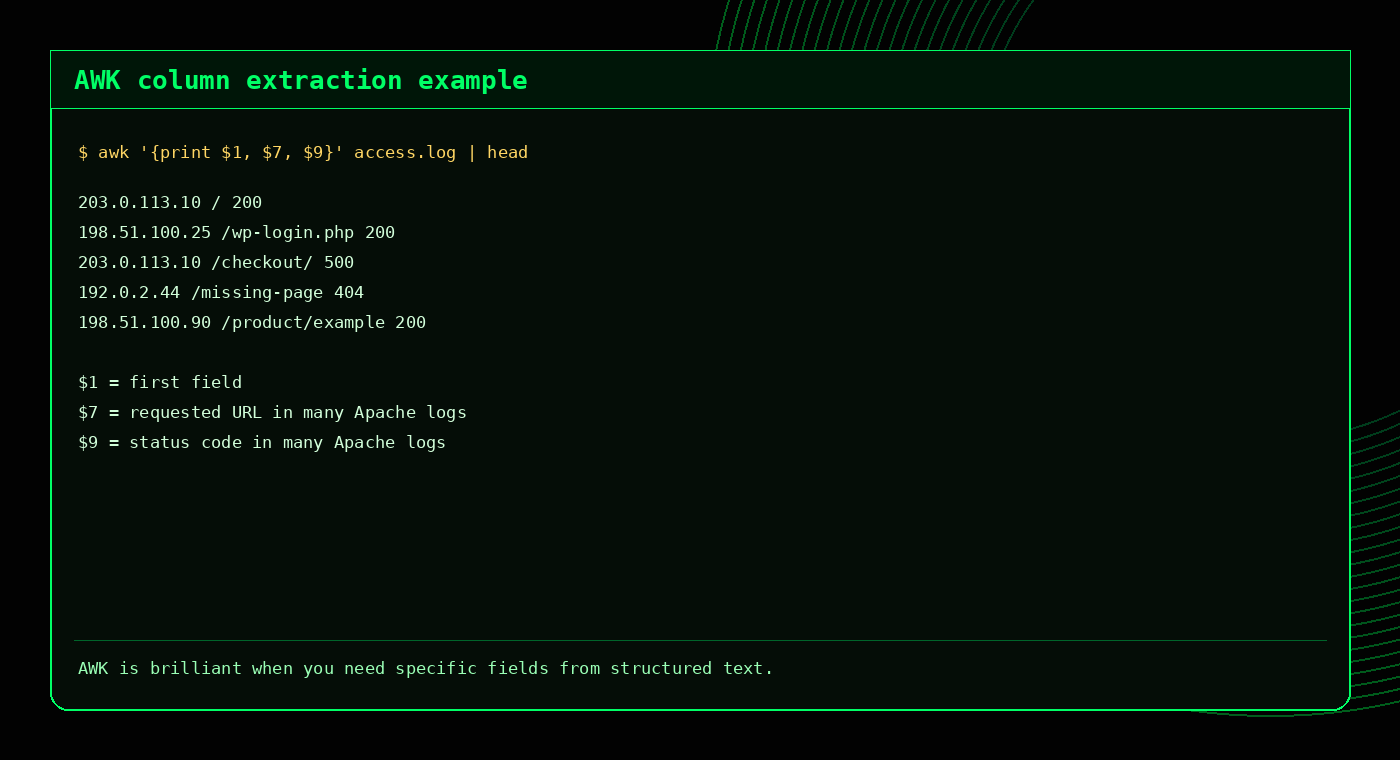
The most common AWK pattern is printing a specific field.
awk '{print $1}' file.txt
awk '{print $2}' file.txt
awk '{print $1, $3}' file.txt
In AWK, $1 means the first field, $2 means the second field and $0 means the full line.
2. Print the last field with $NF
NF means the number of fields on the current line. So $NF means the last field.
awk '{print $NF}' file.txtThis is useful when lines have different lengths but you always need the last value.
3. Use a custom delimiter with -F
By default, AWK splits fields on whitespace. Use -F to set a custom delimiter.
Colon-delimited file
awk -F':' '{print $1}' /etc/passwdPrints usernames from /etc/passwd.
Comma-separated file
awk -F',' '{print $1, $3}' data.csvPrints the first and third CSV fields.
4. Filter rows by value
AWK can filter rows based on field values.
awk '$3 > 1000' file.txt
awk '$9 == 500' access.log
awk '$1 == "admin"' users.txt
This makes AWK useful for finding rows that meet a condition without writing a full script.
5. Match text patterns
AWK can also match patterns, similar to grep:
awk '/error/' app.log
awk '/Fatal error/ {print $0}' error_log
awk '/404/ {print $1, $7}' access.log
For pure text searching, grep is usually simpler. AWK becomes more useful when you want to search and extract fields at the same time.
6. Count lines with AWK
Use NR to count records, which usually means lines.
awk 'END {print NR}' file.txtThis is similar to wc -l, but AWK can combine counting with more complex filtering.
7. Sum a column with AWK
AWK is useful for quick totals:
awk '{sum += $2} END {print sum}' file.txtTo calculate an average:
awk '{sum += $2; count++} END {print sum/count}' file.txt8. Use AWK with access logs
AWK is excellent for Apache and cPanel access logs because they are structured enough to extract useful fields quickly.
Top IP addresses
awk '{print $1}' access.log | sort | uniq -c | sort -nr | headTop requested URLs
awk '{print $7}' access.log | sort | uniq -c | sort -nr | headStatus code totals
awk '{print $9}' access.log | sort | uniq -c | sort -nrTop 404 IPs
awk '$9 == 404 {print $1}' access.log | sort | uniq -c | sort -nr | head
9. Summarise HTTP status codes
This command shows how many times each status code appears:
awk '{print $9}' access.log | sort | uniq -c | sort -nr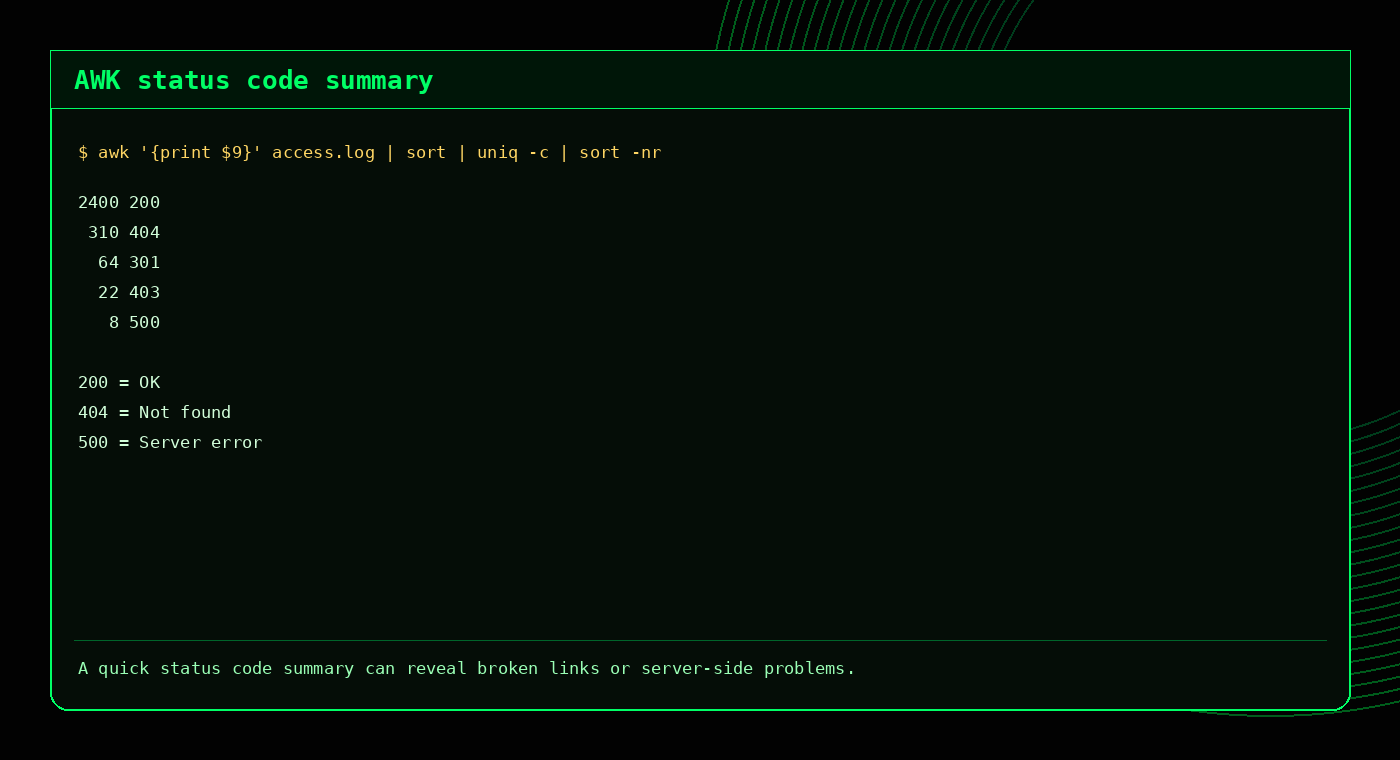
For deeper log examples, read the cPanel Domlog Guide and Search Logs for Errors on Linux.
10. Combine grep and AWK
A common workflow is to use grep to narrow down lines, then use awk to extract fields.
grep " 500 " access.log | awk '{print $1, $7}'Or count the IPs causing 500 responses:
grep " 500 " access.log | awk '{print $1}' | sort | uniq -c | sort -nr | headThis is a powerful pattern for troubleshooting logs quickly.
AWK quick reference
| Task | Command |
|---|---|
| Print first column | awk '{print $1}' file.txt |
| Print full line | awk '{print $0}' file.txt |
| Print last field | awk '{print $NF}' file.txt |
| Use colon delimiter | awk -F':' '{print $1}' /etc/passwd |
| Filter by status code | awk '$9 == 500' access.log |
| Count top IPs | awk '{print $1}' access.log | sort | uniq -c | sort -nr | head |
Common AWK mistakes
- Forgetting quotes: AWK programs should usually be wrapped in single quotes.
- Using the wrong field number: log formats vary, so check your fields first.
- Assuming every file is whitespace-separated: use
-Ffor custom delimiters. - Trying to use AWK for everything: sometimes
grep,cutorsedis simpler. - Not checking sample output: test with
headbefore running long pipelines.
FAQ
What is AWK used for in Linux?
AWK is used for text processing, especially printing columns, filtering rows, using delimiters, counting values and summarising structured text such as logs.
How do I print the first column with AWK?
awk '{print $1}' file.txtHow do I use a delimiter with AWK?
awk -F':' '{print $1}' /etc/passwdHow do I print the last field with AWK?
awk '{print $NF}' file.txtIs AWK better than grep?
They do different jobs. grep is usually better for finding matching lines, while awk is better for extracting fields and processing structured text.
Related tools and guides
External references
AWK mini cheat sheet
# Print first column
awk '{print $1}' file.txt

# Use comma as delimiter
awk -F, '{print $1, $3}' data.csv

# Print lines where column 3 is greater than 100
awk '$3 > 100 {print $0}' data.txt

# Sum the values in column 2
awk '{sum += $2} END {print sum}' numbers.txt

# Count unique first-column values
awk '{count[$1]++} END {for (item in count) print item, count[item]}' file.txt
For a deeper guide, read AWK Command Examples and try the AWK Quiz.
Frequently Asked Questions
What does $1 mean in AWK?
$1 means the first field on the current line.
How do I print a specific column with AWK?
Use awk '{print $N}' file, replacing N with the field number.
How do I use a custom delimiter in AWK?
Use -F, for example awk -F, '{print $1}' file.csv.
Can AWK calculate totals?
Yes. Use a variable such as sum += $2 and print it in the END block.